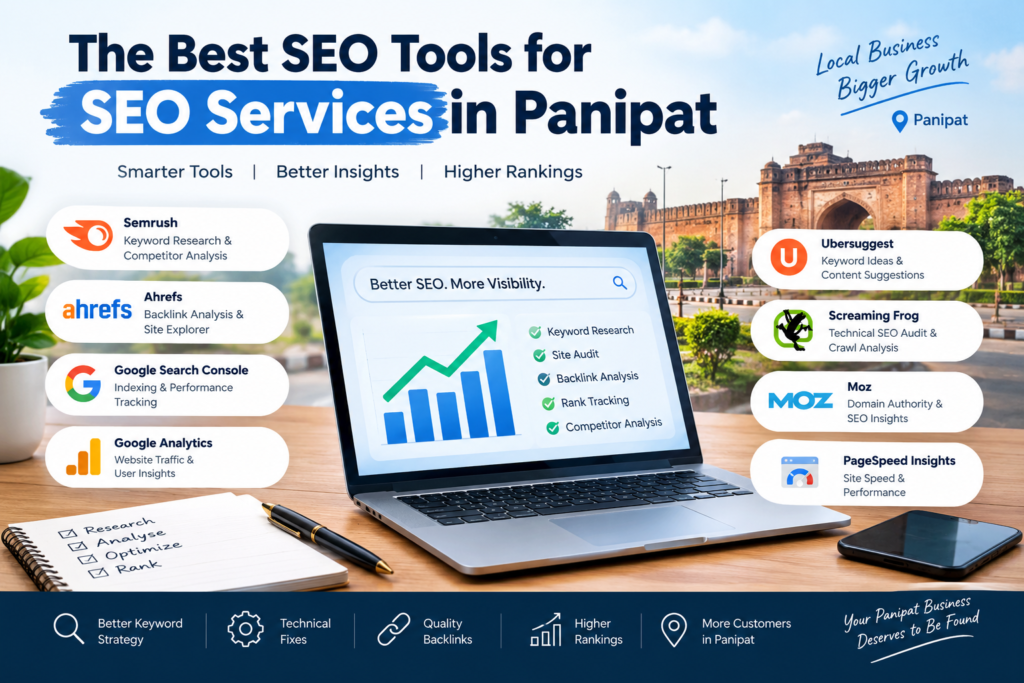
The Best SEO Tools for SEO Services in Panipat
If you are a business owner in Panipat and wish to get better rankings on Google, knowing how an SEO company works can help you make better marketing decisions. An SEO agency employs specific tools to detect website problems, find keywords, study rivals, enhance content, and monitor search results. These insights can guide businesses to target the right organic traffic, boost local visibility, and identify opportunities to connect with potential customers. Regular monitoring and data analysis also enable the measurement of progress and future SEO improvements.
This guide explains the main SEO tools used in professional SEO services in Panipat, what each one does, which are free, and how they connect to the work you pay for. Whether you want to try a few yourself or check what your agency is using, this will help.
Quick answer: every business should start with the free Google tools (Search Console, Analytics, Business Profile and PageSpeed Insights). Paid tools such as Ahrefs, Semrush and Screaming Frog add deeper research and audits. No tool ranks a website by itself; they only show what to fix.
Why SEO tools matter
SEO tools involves a lot of data: which keywords people search, which pages Google can see, how fast your site loads, who links to you and how you compare with competitors. Doing this by hand is slow and error-prone. Tools collect and organize the data so that a person can make good decisions.
Tools do not replace experience, though. Two people can open the same report and one will know what to fix first while the other will not. That is why the tool list below is tied to the actual services you may hire.
1. Free Google tools every Panipat business should set up
You don’t always need expensive software to improve your website’s SEO. Several free tools from Google and Bing help you understand search performance, identify technical issues, research keywords, and measure website traffic.
If you’re choosing an SEO company, make sure you own your website and analytics accounts. Your SEO partner should help you understand the data and use it to make informed decisions.
Google Search Console
Google Search Console helps you understand how your website performs in Google Search. You can check search queries, clicks, impressions, indexing status, and technical issues.
Best for: Tracking organic search performance, monitoring indexing, and identifying SEO opportunities.
Google Analytics 4 (GA4)
Google Analytics 4 shows how visitors find and interact with your website. With proper tracking, you can measure enquiries, form submissions, purchases, and other important actions.
Best for: Understanding visitor behaviour, measuring conversions, and evaluating marketing performance.
Google Business Profile
Google Business Profile helps eligible local businesses manage their information on Google Search and Maps. You can update business hours, services, photos, contact details, and respond to customer reviews.
For businesses in Panipat, an accurate and well-maintained profile can support local visibility and help potential customers find essential business information.
Best for: Local SEO and visibility in Google Search and Maps.
PageSpeed Insights and Lighthouse
PageSpeed Insights evaluates page performance using real-user data when available and laboratory tests. Lighthouse provides additional audits for performance, accessibility, SEO, and other aspects of website quality.
Google’s recommended Core Web Vitals targets are:
LCP: 2.5 seconds or less
INP: 200 milliseconds or less
CLS: 0.1 or less
Best for: Identifying page speed, usability, and technical performance improvements.
Google Keyword Planner and Google Trends
Google Keyword Planner helps discover keyword ideas and estimate search demand. Google Trends shows how search interest changes over time and across regions.
For example, businesses selling textiles, carpets, blankets, or home furnishings can use these tools to explore seasonal search patterns and understand customer interests.
Best for: Keyword research, content planning, and identifying seasonal opportunities.
6. Google Rich Results Test
The Rich Results Test checks whether supported structured data on a webpage is eligible for Google’s rich result features. Passing the test does not guarantee that enhanced results will appear.
Best for: Validating supported structured data and identifying markup issues.
Bing Webmaster Tools
Bing Webmaster Tools provides search performance reports, indexing information, and SEO-related diagnostics for websites appearing in Bing search results.
Best for: Monitoring Bing visibility, checking indexing, and discovering additional optimization opportunities.
How to Choose the Right SEO Tools
You don’t need to use every tool every day. Start with Google Search Console, Google Analytics 4, and Google Business Profile if local visibility matters to your business. Add the other tools based on your website’s needs.
The most important thing is to use the data consistently. Review performance, identify problems, make improvements, and measure the results over time. Free SEO tools can provide valuable insights, but meaningful growth depends on how effectively you apply them.
2. Website audit and crawling tools
A crawler visits your pages the way a search engine does and reports problems.
Screaming Frog SEO Spider
A desktop crawler that finds broken links, missing titles, duplicate content, redirect chains and more. It has a free version with a limit on how many URLs it can crawl, and a paid version for larger sites. Used for: technical SEO audits and on-page checks.
Ahrefs Site Audit and Semrush Site Audit
Cloud-based audits that scan your site and give a prioritized list of issues, then track progress over time. Used for: ongoing technical monitoring.
Ahrefs Webmaster Tools
Free for sites you can verify as your own, giving a basic audit and backlink data. Check Ahrefs’ site for its current limits.
3. Keyword research and competitor analysis tools
Ahrefs and Semrush
Ahrefs and Semrush are popular SEO platforms that help you analyze competitors, research keywords, review backlink profiles, and identify content opportunities. Both offer paid plans, although some features may be available for free.
Best for: Keyword strategy, competitor analysis, backlink research, and identifying SEO gaps.
AnswerThePublic, AlsoAsked, and Google’s People Also Ask
These tools help you discover questions people ask about specific topics. You can use these insights to plan blog posts, create FAQ sections, and develop content that addresses your audience’s needs.
Best for: Finding content ideas, understanding search intent, and planning helpful articles.
Google Search
Google Search is a simple, free way to research your target keywords. Search as a potential customer would, review the top-ranking pages, and identify common topics, content formats, and questions.
This research helps you understand what users may expect to find and where your content can provide additional value.
Best for: Understanding search intent, analyzing search results, and identifying content opportunities.
4. Local SEO tools
Local SEO needs different tools because map results depend on location.
BrightLocal, Whitespark and similar services
Help with citation building, listing consistency, review tracking and local rank tracking.
Local rank grid trackers (such as Local Falcon)
Show how your business ranks on the map from different spots around a city, not only from one position. This is valuable for a spread-out area such as Panipat, where your rank can change from one side of town to another. Used for: local SEO reporting and showing whether you appear for customers near different areas.
Google Maps and Business Profile Insights
Show how many people found you, called you and requested directions.
5. Content and on-page tools
Surfer SEO, Clearscope, MarketMuse and similar
Suggest topics, headings and terms to cover, based on pages already ranking. They are useful as a guide, but do not follow them blindly. Write for the reader first.
Grammarly or similar editors
Catch spelling and grammar mistakes, which matter for trust.
AI writing assistants
Can help with outlines and first drafts, but every page must be checked by a human for accuracy, original insight and real local detail before publishing.
6. Rank tracking and reporting tools
Looker Studio
Google’s free dashboard tool (previously Data Studio). It combines Search Console, Analytics and other data into one report you can share.
Ahrefs Rank Tracker, Semrush Position Tracking and similar
Track where your pages rank for chosen keywords over time, by location and device. Used for: monthly reports.
How these tools map to SEO services in Panipat
SEO service | Common tools |
|---|---|
Technical SEO | Search Console, PageSpeed Insights, Lighthouse, Screaming Frog, Rich Results Test |
On-page SEO | Search Console, Ahrefs or Semrush, content tools |
Off-page SEO / link building | Ahrefs or Semrush backlink tools |
Local SEO | Google Business Profile, BrightLocal or Whitespark, local rank trackers |
Content marketing | Keyword Planner, AlsoAsked, Google Trends |
Reporting | GA4, Search Console, Looker Studio |
E-commerce SEO | Search Console, Merchant tools, Rich Results Test |
A simple free toolkit to start today
If you have no budget yet, try this in an afternoon:
- Verify your site in Google Search Console and Bing Webmaster Tools.
- Install GA4 and set up a goal for calls or form submissions.
- Claim and complete your Google Business Profile.
- Run your homepage and top service page through PageSpeed Insights.
- Crawl your site with the free version of Screaming Frog and note broken links and missing titles.
- Search your main keyword on Google and write down who ranks and what they offer.
Need help with SEO in Panipat?
Md Uzzy Media provides SEO services in Panipat, including audits, local SEO, technical SEO and content. Our approach focuses on identifying website issues, finding relevant keyword opportunities, and monitoring organic search performance. Tools such as Google Search Console, Google Analytics, and SEO audit tools can help evaluate rankings, traffic, indexing, and website health. We focus on clear performance reporting and actionable recommendations to help businesses understand their SEO progress and make informed marketing decisions.
Md Uzzy Media at Sanjay chowk , Panipat, Haryana,132103 Phone: 8307965116 | Email mahusmaan@gmail.com
Frequently asked questions
What are the best free SEO tools?
Google Search Console, Google Analytics 4, Google Business Profile, PageSpeed Insights, Bing Webmaster Tools and the free version of Screaming Frog cover most basic needs.
Do I need paid SEO tools?
Not at the start. Paid tools such as Ahrefs or Semrush become useful when you need competitor research, backlink data and ongoing rank tracking.
Can SEO tools rank my website?
No. Tools show you problems and opportunities. Rankings come from the work you do based on that information.
Which tool is best for local SEO in Panipat?
Start with Google Business Profile. Add a citation or local rank tracking tool if you compete in a crowded category or have several areas to cover.
Do SEO companies in Panipat use these tools?
Most professional agencies use a mix of them. Ask for the specific tools and sample reports before you hire.

MD Usman is a digital marketing professional with 2 years of experience in SEO, keyword research, on-page optimization, technical SEO, and link building. He focuses on creating practical, data-driven SEO strategies that help businesses improve their search visibility, attract relevant organic traffic, and strengthen their online presence
MD USMAN
SEO EXPERT

7 Costly Mistakes to Avoid When Choosing an SEO Company in Haryana

Will AI Replace SEO? Why Skilled SEO Experts Are More Valuable Than Ever

Pingback: Will AI Replace SEO? 7 Powerful Facts for Businesses in 2026